Auto Expense Tracker
Get it on Google Play
Bank & UPI · Private by design

Your spending, written down automatically.

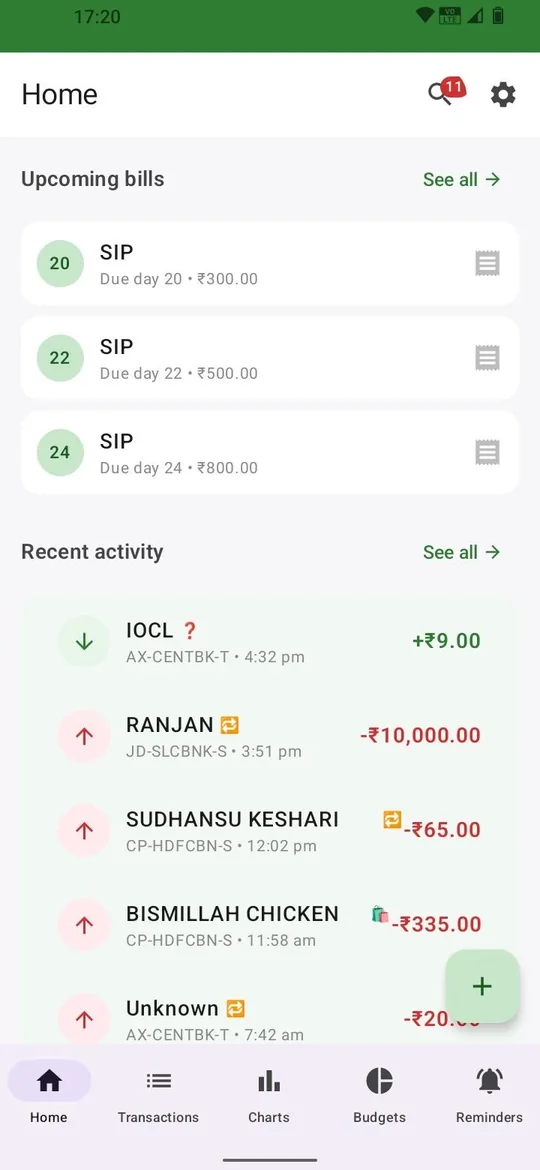
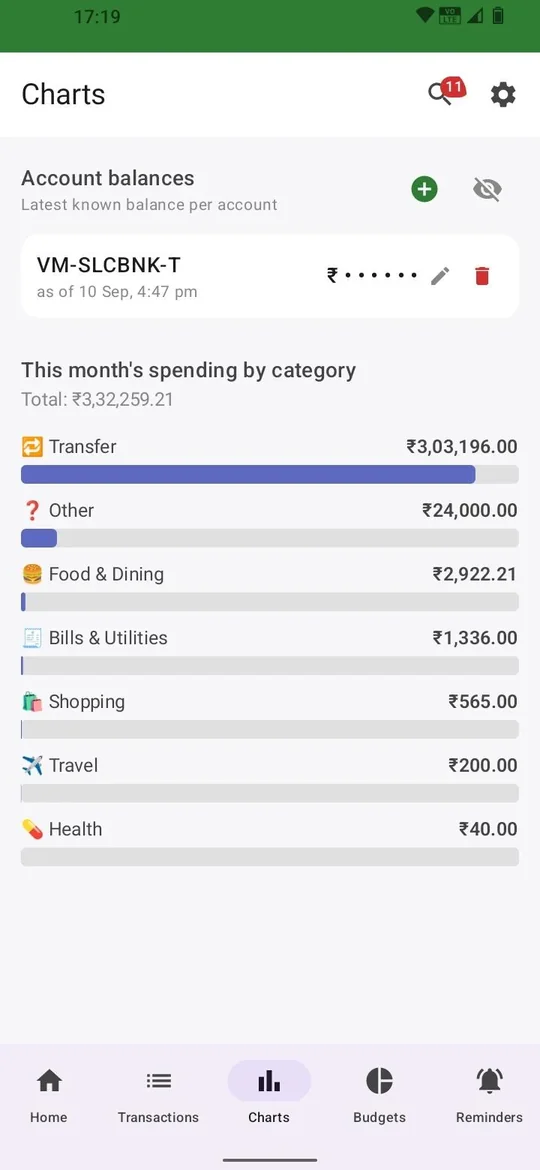
It reads your bank and UPI transaction notifications the moment they arrive, and turns them into a categorised ledger — without SMS access, without a bank login, without typing a single entry.

Free, with occasional ads. Pro removes them and adds export & backup.

No SMS access
No bank login
100% on your phone

See it in action

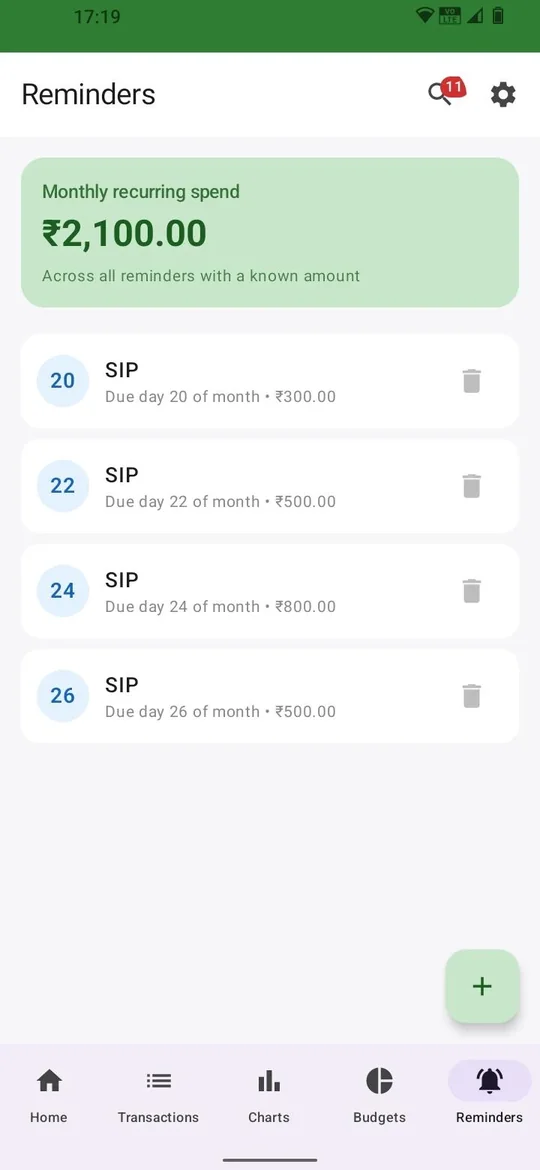
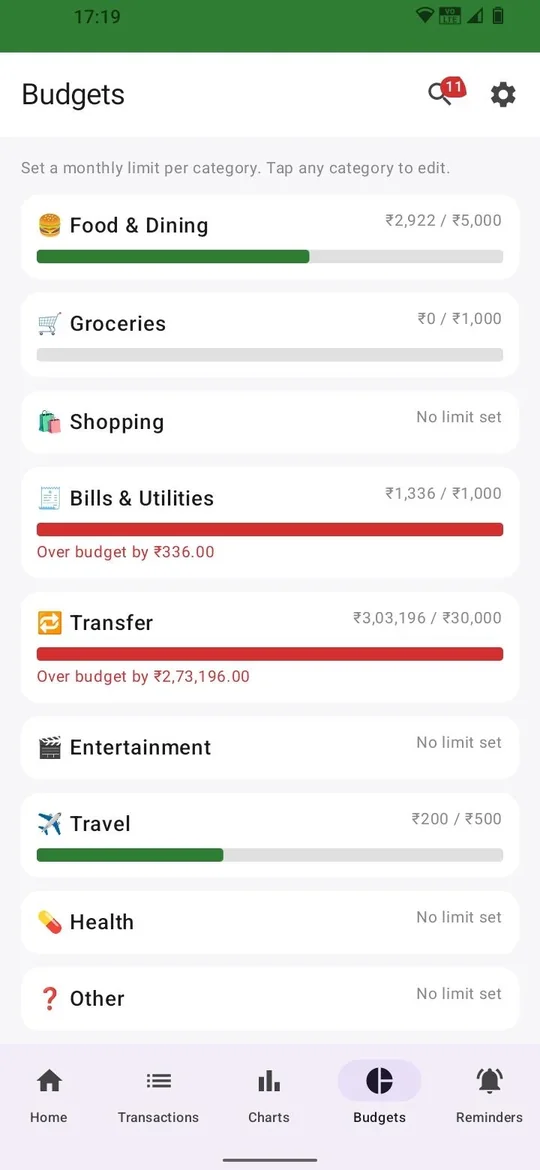
Real screens from the app, not a mockup.
Why it works differently

Most expense trackers ask for SMS access or a bank login. This one doesn't need either — and that was a deliberate decision, not a missing feature.

Auto-capture

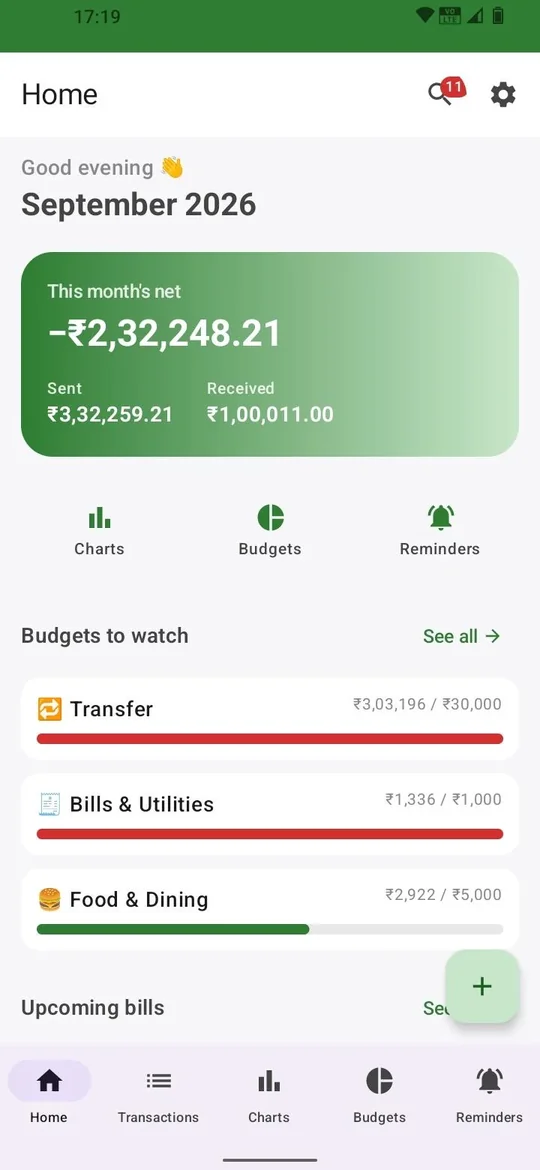
Bank and UPI notifications are parsed the instant they land — not just SMS, which is where most trackers stop and where they miss transactions.

Budgets that warn you early

Set a monthly limit per category and get told you're on track to cross it — before it happens, not after.

Reminders that find themselves

Recurring bills and subscriptions are detected from your own history — including when a subscription quietly raises its price.

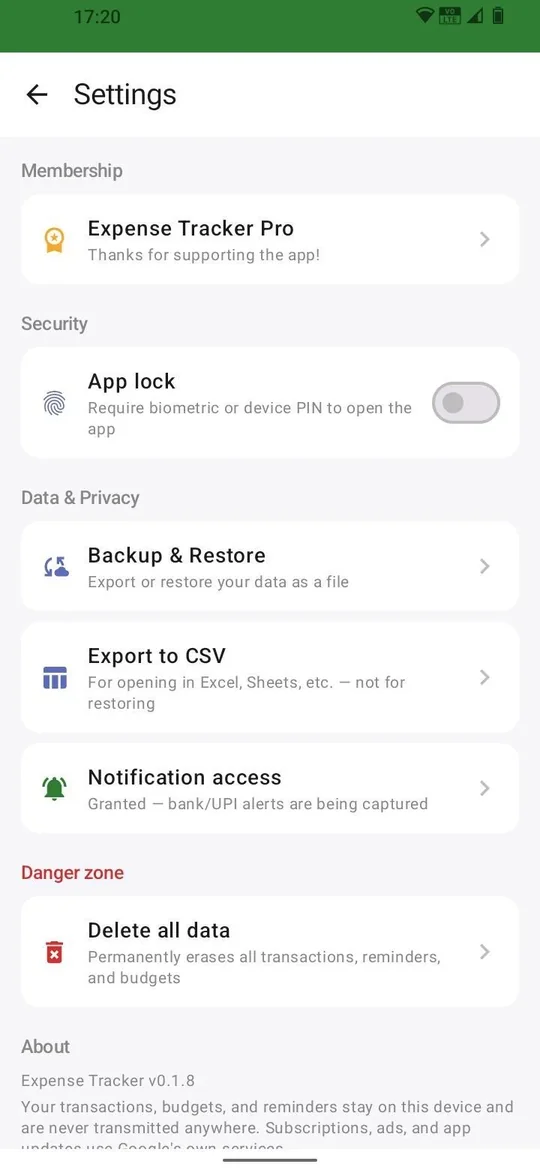
Encrypted, on-device, always

Your transaction history is stored with on-device encryption. There's no server to breach, because there's no server at all.

Backfill with a bank statement

Import a CSV statement from your bank to bring in history from before you installed the app.

Full control, always

Export to CSV, back up and restore locally, or erase everything on the device with one tap. It's your data.

Set up once, in under a minute

01

Install the app

Free on Google Play. No sign-up, no account to create.

02

Grant notification access

One Android permission — not SMS, not your contacts, not your bank.

03

It starts tracking itself

Every bank and UPI alert from then on becomes a categorised entry, automatically.

Stop writing it down by hand.

It's free to start, takes a minute to set up, and never asks to see your SMS or your bank password.

Install on Google Play